Reroute, the desktop app
Chat for the people you know.
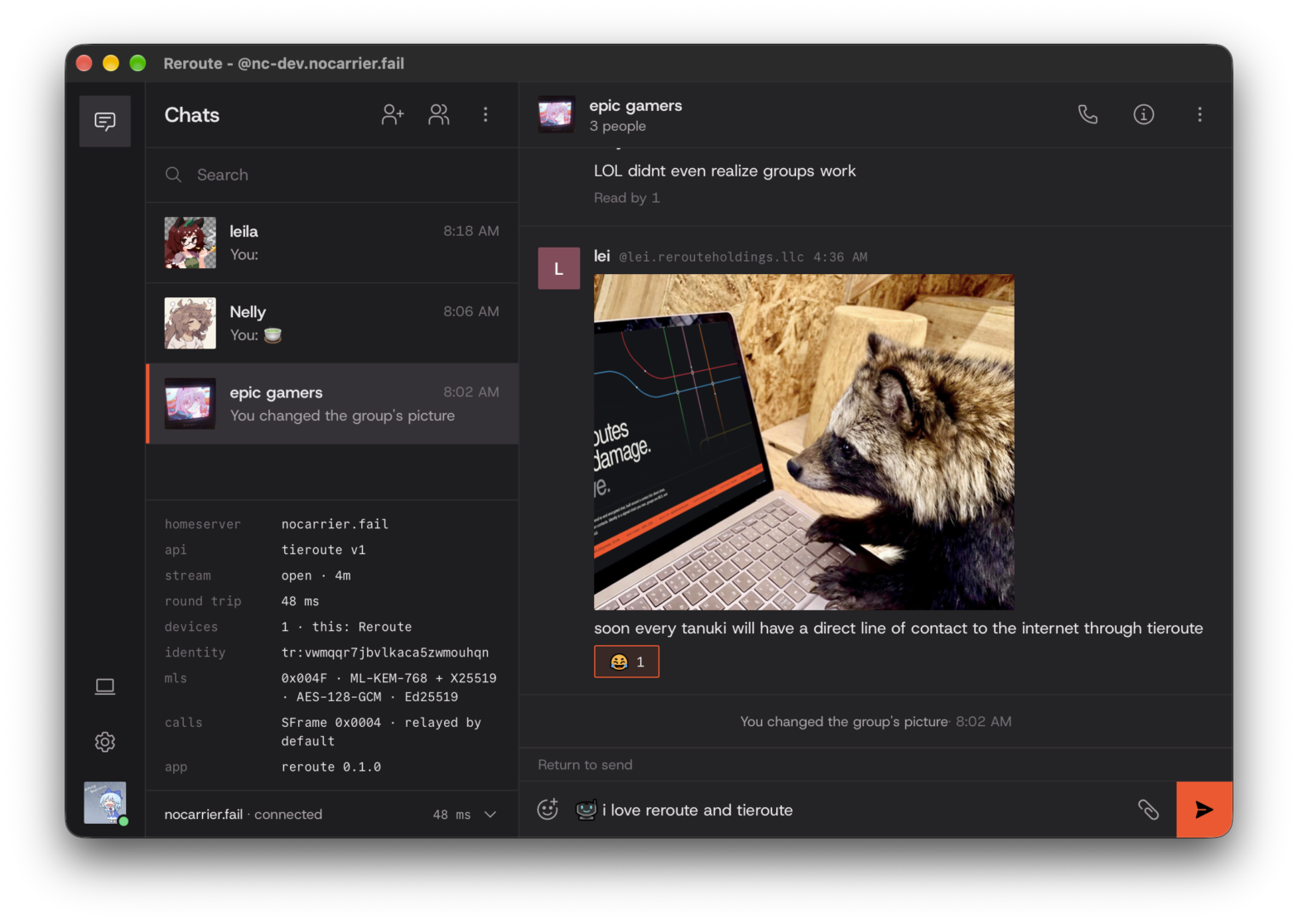
Group chats, voice calls, and the people you actually talk to, end-to-end encrypted on Tieroute. You don’t sign up with a phone number or an email. Your devices sign you in, and if you lose all of them, 12 recovery words get you back.
Alpha. Reroute and the Tieroute v1 draft haven't had their outside security review yet. Don't rely on them for anything sensitive.
- Encryption
- MLS, end to end
- Key exchange
- Post-quantum hybrid
- Sign-up
- No phone, no email
- Platforms
- macOS, Windows, Linux
Download
Get Reroute.
For a Mac, a Windows PC, or a Linux machine. After the first install it updates itself, and it won't install anything that isn't signed with our release key.
macOS
Apple silicon · .dmg
Drag it to Applications and you're done. Updates download in the background and take effect next time you open it.
Windows
x64 · installer
Installs just for you, no admin needed. Updates download in the background and install when you restart it.
Linux
x86_64 · a package for your system
Updates ask for your password, like any package.
What it does
Everything Tieroute v1 covers, in one window.
-
Contacts, by invite
Add someone with an invite code, or by handle if they’ve published one. Until you accept them, they can’t message you at all.
§9
-
Direct and group chats
Groups of up to 25, with admins and add requests. The group’s name and picture are encrypted like the messages, so your server doesn’t even know what it’s called.
§11
-
Voice calls
One to one, or up to 10 people in a group. Calls go through your homeserver’s relay, so nobody on the call learns your IP address.
§15
-
Every device you own
Link a new one with a code and an old one sends over your chats, encrypted. Lost a laptop? Remove it from any other device.
§7
-
Encrypted backup
Optional. It’s locked with a passphrase and kept on your homeserver, which can’t read it. Forgot the passphrase? Your recovery code opens it too.
§7.5
-
Your own domain
Use the handle your homeserver hands out, or point a domain you own at yourself with one small JSON file.
§5.2
-
Several accounts
Different identities on different homeservers, all in one window.
-
Signed updates
Reroute updates itself from this site and won’t install anything that isn’t signed with our release key.
Install
Three stops to your first chat.
- 1
Download it
The .dmg for a Mac with Apple silicon, the installer for Windows, or the package for your Linux system. The downloads are on this page.
- 2
Open it
macOS: drag Reroute to Applications. It isn't notarized by Apple yet, so the first time, macOS says it can't check it. Open System Settings, go to Privacy & Security, and select Open Anyway.
Windows: run the installer. It isn't signed for Windows yet, so SmartScreen stops it the first time: choose More info, then Run anyway.
Linux: install the package. Updates later ask for your password, like any package.
sudo apt install ./Reroute_*_amd64.deb
sudo dnf install ./Reroute-*.x86_64.rpm
sudo pacman -U ./reroute-*.pkg.tar.zst
- 3
Make your identity
Pick a homeserver, either one you run (rerouted is the reference server) or one that invites you. Reroute then shows you 12 recovery words. Write them down somewhere that isn't this computer. If you ever lose every device, they're the only way back in.
Open protocol
Reroute is one client. Tieroute is for anyone.
There's no official client library, on purpose. Anything that follows the spec can talk to Reroute users on any homeserver. And since your identity is a chain you sign, no server can take it from you, ours included.